
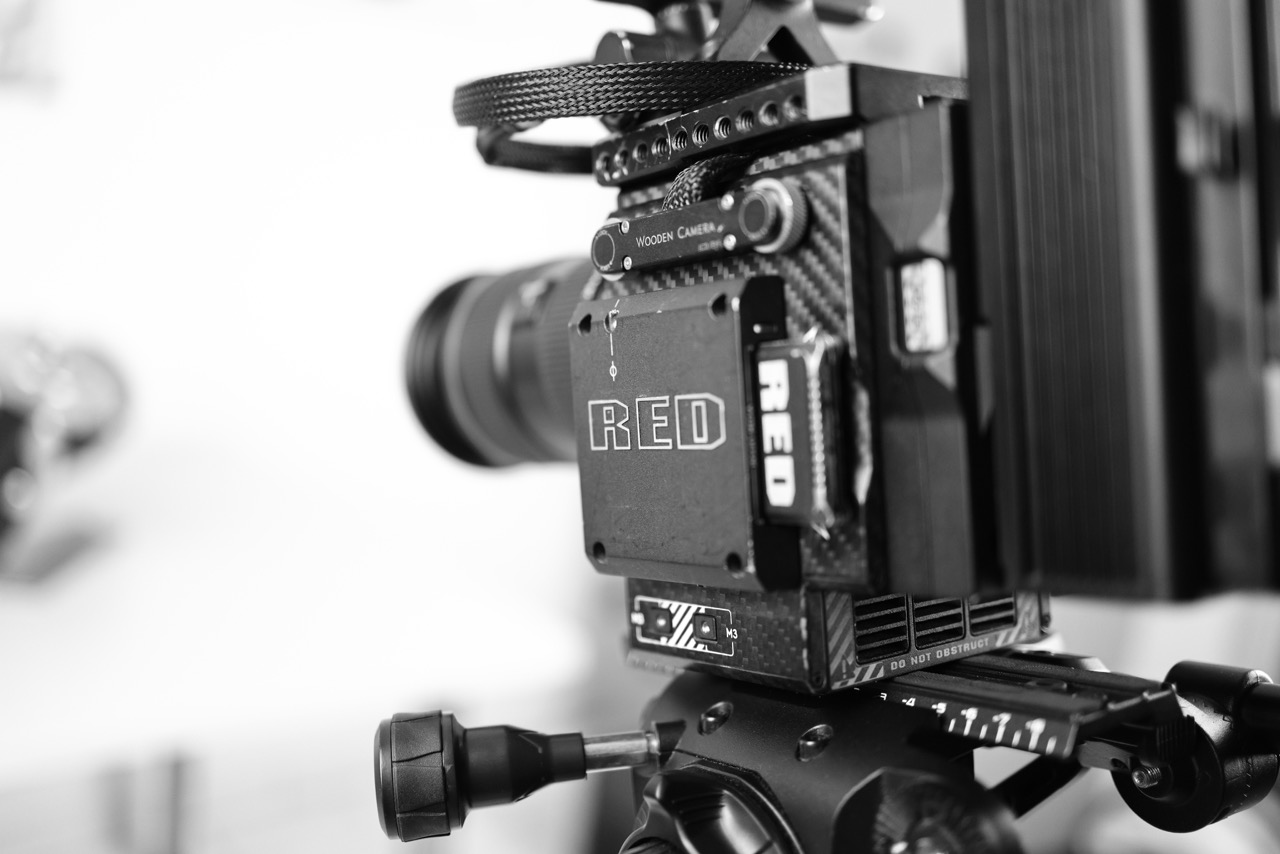
Used RED DSMC2 brains have dropped to about what a new Sony FX3 or Canon C400 costs. That’s the kind of price that’s hard to scroll past.
I already made this exact bet, three times over. I owned the Epic-W Helium, the Gemini, and the Monstro. Rigged them out, shot with them for years, and sold every one of them.
So this isn’t another “should you buy a RED” post from someone who’s never touched one. I’ve already lived the answer once. Here’s what actually happened, and whether today’s prices change it.
What the RED DSMC2 Can Still Do That Nothing Else Does
The OLPFs are swappable. RED made four versions for the Monstro: a standard all-rounder, one tuned for highlight roll-off and skin tones, one for low light, and one for underwater work. Third parties made more, including an infrared OLPF and a monochrome OLPF. Pop one out, drop another in, and the camera becomes a different instrument. No other modern camera does this. You can shoot full infrared or pure monochrome without converting the sensor and without modifying anything permanently. I never explored this as much as I wanted to while I owned mine.
The entire ecosystem is cableless. The monitor connects via pogo pins and thumb screws. The side handle bolts straight onto the body. The power and I/O module screws onto the back. Nothing to manage, nothing to forget, nothing to snag on anything mid-shoot. After you’ve spent time cable-managing before every take on a conventionally rigged cinema camera, you notice this immediately.
HDRX records two simultaneous exposures and gives you up to six stops of extra dynamic range to blend in post. For landscape work especially, where skies and foregrounds live in completely different exposure ranges, that’s a real advantage. Pre-record buffers up to 30 seconds before you even hit the button. Time-lapse outputs as R3D, so you can grade it exactly like any other clip. These features are only now starting to show up in mirrorless cameras. The DSMC2 has had them for years already.
The Monstro also shoots stills: 35.4 megapixels, up to 1/8000s, everything in R3D with full RAW latitude, plus a burst mode with pre-shutter buffering. I ended up shooting stills on mine more than I expected to.
What Owning One Actually Costs You
The DSMC2 has no autofocus. It takes time to boot. Fully rigged with a V-lock battery, monitor, and cage, it’s not a small or light setup.
It sorted my work into two categories pretty fast. Anything planned, anything where I controlled the environment and the schedule, the RED was the right call. Anything faster than that, and I was reaching for something else.
Events, fast turnaround client work, run-and-gun situations: the C400, C70, and FX6 are all better tools for that. Not because they make better images, but because they’re built for speed, and the RED isn’t.
Fan noise is constant. It’s loud enough to affect audio recording if the camera sits anywhere near an open microphone. Power draw sits between 65 and 75 watts, and a 155Wh V-mount battery gets you about 90 minutes. Budget for multiple batteries and plan your day around them.
Accessories are worth thinking through carefully before you commit. The system is nearly a decade old, and the used market is thinner than it used to be. A Canon EF VistaVision mount runs around €1,000, if you can even find one. The Kippertie Long Take 2TB card sits around €1,200 and is genuinely hard to track down. I/O power modules have climbed noticeably in price over the last few months. Supply is only moving in one direction from here.
RED no longer issues firmware updates for the DSMC2. Repair and servicing is possible but inconsistent. Worth clarifying before you buy, not after.
Is the Image Really That Much Better Than a Modern Mirrorless?
There’s a version of this conversation on YouTube where the Monstro sits in a completely different league from modern mirrorless cameras, the same conversation as the Raptor or the Alexa Mini LF. From a pure technical standpoint, that’s fair. It is at the top.
But the practical gap between a Monstro and something like a Canon R5C is smaller than that framing suggests. The Monstro is better: the highlight texture, the latitude, the organic quality of the image are all real, and I noticed them every time I shot with one. Still, it’s not the difference between an R5C and an iPhone. It’s a lot closer than that.
So the real question isn’t whether the image is better. It’s whether that degree of improvement is worth the overhead: the accessory budget, the slower workflow, the manual operation, the weight. That’s a personal calculation, and it depends entirely on what you’re making.
Which Body Actually Makes Sense in 2026
Not all three DSMC2 bodies are equal, and picking the right one matters more than picking RED in general.
The Gemini is the most practical camera in the lineup for most people. The dual ISO is still a genuine differentiator for low-light work, two separate circuits running at ISO 800 and 3200, and most deliverables are in 4K anyway. The lower resolution also means longer recording times and less demand on your editing machine. If you want a DSMC2 without the full complexity of the Monstro, this is the one. A brain in good condition runs around €3,000 to €4,000.
The Monstro has the best image in the system: 8K open gate, the full VistaVision sensor, HDRX, 35.4MP stills. But the sensor size means standard full-frame lenses vignette heavily at wider focal lengths. I shot Canon EF L zooms on mine, and around 24mm I had black corners. I often just cropped to 7K, which lands closer to a standard full-frame equivalent. To use the full sensor properly, you need cinema glass built to cover the format. DZO’s Vespid Retro set covers it well at around €6,500 for six primes. A complete Monstro kit, reasonably specified, lands in the €8,000 to €10,000 range.
The Helium is the most confusing body to buy used, because the same Helium sensor shows up in two different bodies: the Epic-W and the Weapon, which was later renamed the DSMC2 Helium. The sensor and the image are identical. The easiest way to tell them apart is the “Epic-W” printed on the Mini Mag Module. The Epic-W caps out at 8K 30fps, while the Weapon/DSMC2 body does 8K 60fps.
The Helium’s Super 35 sensor helps if you need more reach from your lenses or want to run S35 cinema glass without coverage concerns. But the smaller physical pixels bring real trade-offs: worse low-light performance than the Monstro and Gemini, a need for lenses with higher line pairs per millimeter to fully resolve the 8K image, and CMOS smearing that the other two don’t suffer from. Worth knowing that with the Monstro, you can simply crop into 6K and get the same S35 field of view anyway, without any of those compromises.
Should You Buy a RED DSMC2 in 2026?
If this would be your only camera for client work, go elsewhere. A Sony FX6, Canon C70, or something similar will serve you better. Autofocus, fast boot, internal NDs, smaller and lighter: those things matter when you’re working quickly. The DSMC2 will slow you down and demands effort at every stage.
If you already have a modern workhorse and want something with a different kind of soul for personal work or longer-form projects, then yes. The image is still genuinely special, and at current prices you can likely sell it later for close to what you paid.
If you’ve always wanted to shoot on one and the window finally feels open, it is. These cameras are pieces of filmmaking history, and working with one changes how you think about image-making. Just don’t go in expecting it to simplify anything. It won’t. It doesn’t do the thinking for you. You need to know what you’re doing and have the time to do it properly.
That’s the whole trade-off in one line: the spec sheet sells you on day one, but it’s the years of actually using the thing that decide whether you keep it. I shot on mine for years and still sold all three. The DSMC2 isn’t for content. It’s for the work where the image actually matters enough to earn the overhead.